Help: the system view¶Next ›
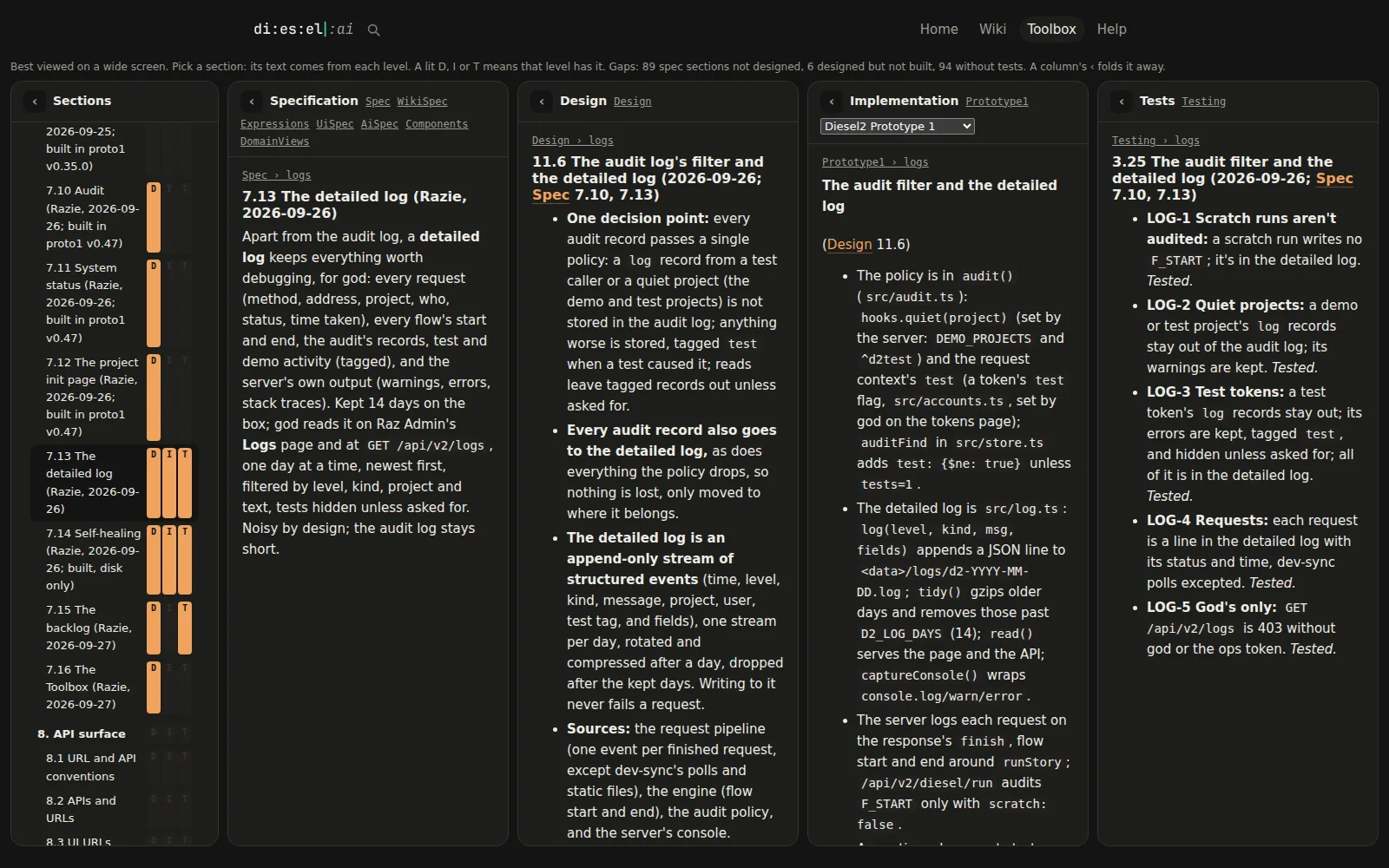
Tap the picture for the full size.
The system view (/system, in the Toolbox) shows your whole project side by side, feature by feature: what each feature is meant to do, how it's designed, how it's built and how it's tested. Above is d2's own, with the detailed log open in every column.
Live, while your AI works
The view is real time. Turn on dev-sync (the circling arrows in the top bar) and every time your AI saves a topic or a draft, the view follows: the columns reload, the gaps update, and you see the change land in the spec, the design, the code notes or the tests as it happens. You watch the work instead of asking about it.
Every feature, at every level
- Five columns: Sections (the list of features), Specification, Design, Implementation (a picker if there's more than one) and Tests. Each column folds to a strip with ‹ and opens again with ›, so it works on a smaller screen too.
- Click a feature in Sections and every column scrolls to that feature's section, so you read what it should do next to how it's designed, built and tested.
- D, I, T next to a feature light up when the design, an implementation or the tests have it. A pale letter is a gap.
- Gaps are counted at the top: features not designed, designed but not built, and without tests. It's the to-do list nobody had to write.
- Behaviour by behaviour: inside a feature, each promised behaviour has a code (
LOG-6), and the other levels point back to it. The Feature list (/features) shows every behaviour against the levels, so you can tell exactly which one isn't tested yet.
How it knows what lines up
- Levels are topics, by tag:
d2-spec(what it does),d2-design(how),d2-impl(each implementation's notes),d2-test(the tests). Tag your topics and the view finds them. - Features line up by id: a section's heading ends with a short id,
## The detailed log {#logs}, and the same id is used in the design, implementation and test sections of that feature. A section can also link to the one it answers:the design of [[Spec#logs]]. - Behaviours by code: a spec line ends with its code,
^log-6, and the others link to it with[[Spec#^log-6]]. - Ask your AI to work this way. The diesel2 skill tells it to: one feature at a time, every level updated together, the same id everywhere. See projects for the four topics every project keeps.
Today
The system view runs on d2spec, d2's own specification; every project gets its own soon (it's on d2's to-do list).