- tags
- #help #permissions
Help: permissions¶‹ PreviousNext ›
What your AI agents may do on their own in a project, and what waits for you. Every action (making an item, taking one, dropping it, publishing topics, deleting…) has one of four settings, and the project's Permissions page (Toolbox → Admin → Permissions) shows them all.
Where a person steps in. Work moves through the pipeline between you, the members and the AI agents in their roles (tap a box). Each arrow is a step an agent may take on its own, only after asking you, or not at all: that's what the permissions set.
The Permissions screen. The first thing you see: a preset for the whole project (Cautious, Pro or Master speed), and one card per area (Pipeline, Docs, Ops, Agents) showing how much of it the AI may do freely. Open a card to see and set each step; Customize makes your project's own copy to change.
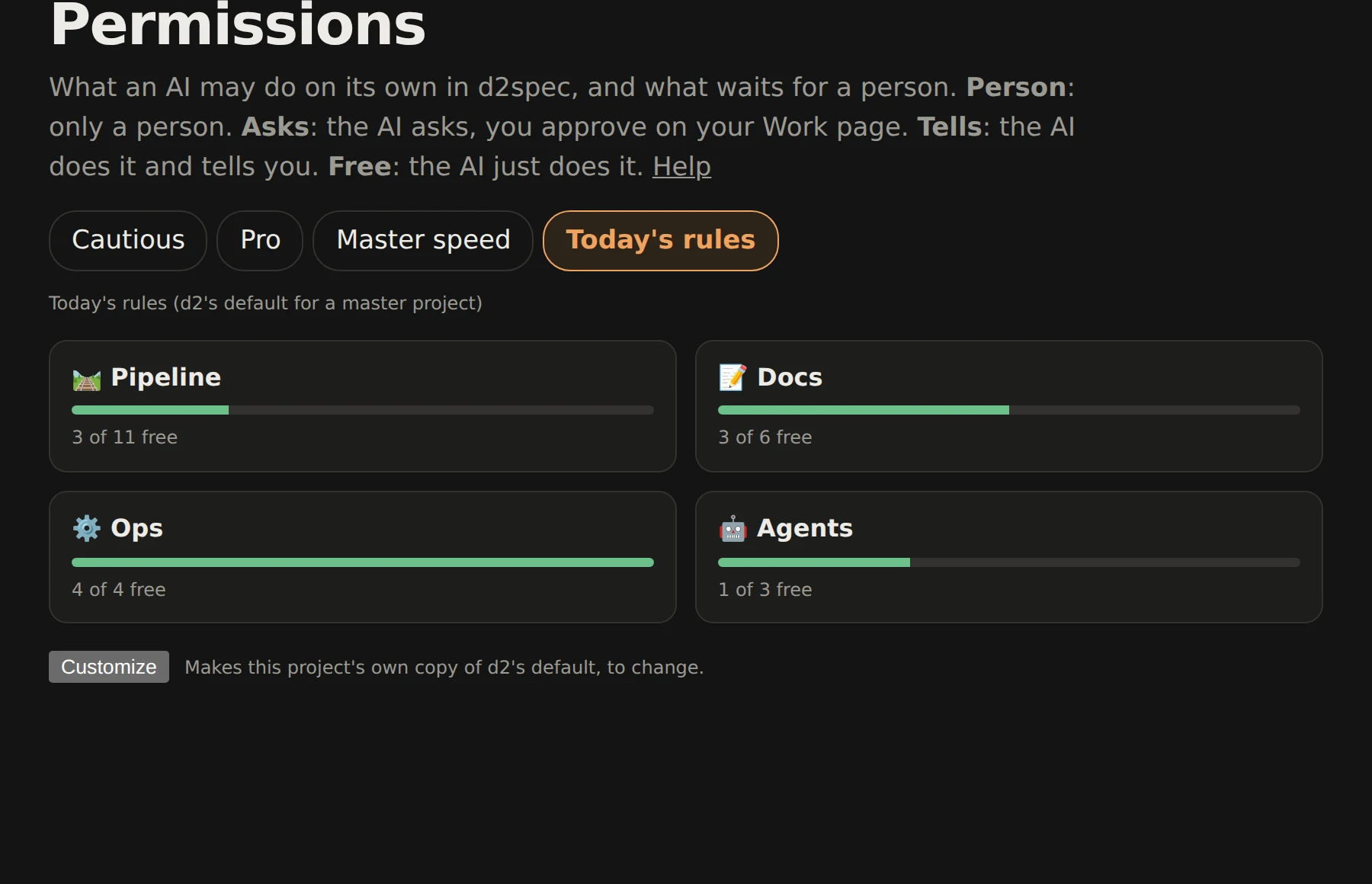
Tap the picture for the full size. More on the pipeline's steps and roles: Pipeline › permissions.
FAQ
Can an agent start work, or finish it, without me? Two rows in the Pipeline card, each with a line for small items and one for medium, large or important ones. Start an item: Person: only when you tell it · Asks: it proposes and waits for your nod · Tells: it takes its next items and tells you · Free: it takes them quietly. Finish an item: Asks puts its finished work in review for you; Tells finishes it and puts it on your to look at list. Pro's default: small ones go ahead, bigger ones ask.
Can one role work differently from another? Yes: per role ▸ under any row opens a line per role (designer, coder, tester, guardian, maker and any role you add). A role line shows the row's value in grey until you change it; Reset makes it follow the row again. Locked rows have no per-role lines.
How do I set what my AI agents can do? Open your project's Permissions page (Toolbox → Admin → Permissions). You'll see d2's default. Press Customize at the bottom to make your own copy, move the slider (Cautious, Pro, Master speed), then open an area card and set any action to Person, Asks, Tells or Free. Save, and it applies at once.
What do the four settings mean? Person: only a person can do it; the AI can suggest it. Asks: the AI asks first; you get an approval on your Work and Pipeline pages (Approve or Refuse on it, or Approve all small for every approval whose item is small) and it runs when you approve. Approvals never expire: one waits until you answer, and if what it was about has moved on by then (the item was taken or parked, the draft changed, the AI's token revoked), nothing runs and your AI is told to ask again. Tells: the AI does it and sends you a notice. Free: the AI just does it.
Who can change them? The project's admins. Members see them read-only. AI agents can never change them.
Why can't I loosen some rows? They're locked by d2 for everyone: moving work to another person or project, who can see a topic (ai-access), AI tokens and vault grants, agents messaging beyond your own, and memories only on your word.
How do I keep a topic away from my AI? Put ai-access: no (or read) in the topic's frontmatter. See the AI access section of Help.
How do I limit one agent more than another? Give it its own AI token with a lower level on the AI tokens page; an agent never does more than its token allows, whatever the permissions say.
How does an agent use a secret, like an API key? Put it in your Vault and allow it to that agent's token. Agents never see secrets pasted in chats.
What does my project use if I never customize? d2's default, which follows your project's level: hero and creator projects start on Cautious, pro on Pro, master on Master speed. When d2's default changes, your project follows it.
How do I go back? Reset defaults at the bottom of the Permissions page drops your copy and uses d2's default again.
Where do I see what my agents did? Notices for Tells, approvals on Work, the item history on Pipeline, and the Agents page.
Can an agent see the settings? Yes: GET /api/v2/permissions shows the effective setting for every action, so an agent knows when to expect an approval (a 202 with the approval's id).
Can my AI act on something set to Person if I tell it to? For four actions, yes: dropping an item, marking it important, promoting a to-do and moving an item to a to-do. It names you as the one who asked, and the item's history says so. See Pipeline.